
Stock Status:
Condition: New
SKU : 9423M89
Ports: 2 × VGA inputs, 1 × VGA output
USB Ports: 4 × USB 2.0 hubs for keyboard, mouse, and shared devices (printers, scanners, flash drives)
Resolution Support: Up to 1920×1440 @ 60Hz (Full HD VGA)
Switching Options: Push-button or hotkey switching
Material: Black metal housing for durability
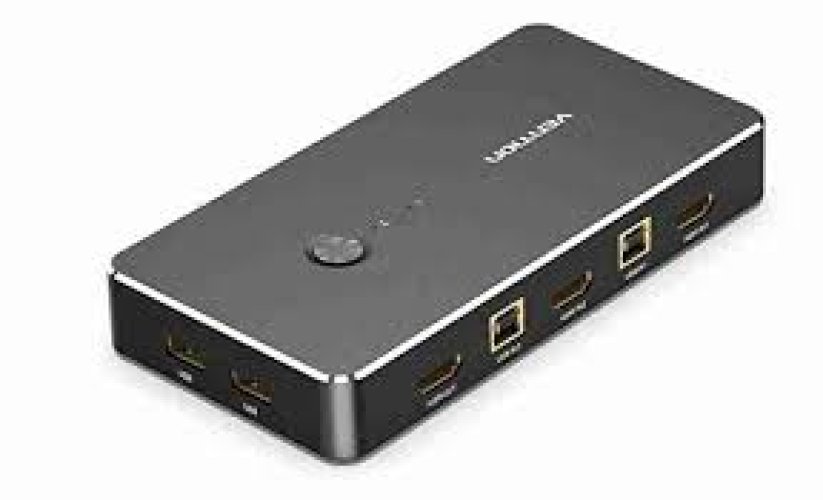
The Vention 2 in 1 Out VGA KVM Switch Black Metal Type - DBEBO is a keyboard-video-mouse (KVM) switch that allows you to manage two computers with one set of peripherals. It is ideal for office setups, classrooms, video surveillance, and IT environments where multiple PCs need to be controlled efficiently. The metal housing ensures durability and heat dissipation, while the push-button or hotkey switching makes toggling between devices seamless.
Ports: 2 × VGA inputs, 1 × VGA output
USB Ports: 4 × USB 2.0 hubs for keyboard, mouse, and shared devices (printers, scanners, flash drives)
Resolution Support: Up to 1920×1440 @ 60Hz (Full HD VGA)
Switching Options: Push-button or hotkey switching
Material: Black metal housing for durability
Plug‑and‑Play: No drivers required
Applications: Education, training, office, video surveillance, and security systems
| Feature | Details |
|---|---|
| Model | Vention DBEBO |
| Input Ports | 2 × VGA + USB |
| Output Ports | 1 × VGA + USB |
| Resolution | Up to 1920×1440 @ 60Hz |
| USB Hub | 4 × USB 2.0 |
| Switching | Push-button / Hotkey |
| Material | Metal housing |
| Color | Black |
| Product Description | Price Range (KES) |
|---|---|
| Vention 2 in 1 Out VGA KVM Switch Black Metal Type - DBEBO | KSh 4,100 – 5,500 |
Metal housing for durability and heat dissipation.
Compact design suitable for desktops or rack setups.
Black finish for a professional look.
LED indicators show active computer connection.
Allows two computers to share one monitor, keyboard, and mouse.
Supports Full HD VGA resolution for clear visuals.
Provides USB 2.0 connectivity for shared devices.
Switching is smooth via push-button or hotkeys.
Ideal for multi-PC environments like offices, classrooms, and surveillance systems.
Does it support HDMI? → No, only VGA video.
Can USB peripherals be shared? → Yes, up to four USB devices.
Is it plug‑and‑play? → Yes, no drivers required.
Does it support audio? → No, VGA does not carry audio signals.
Can it be used for gaming? → Yes, but limited to VGA resolution.
Copyright © 2026 frontlineafricaltd.com - All Rights Reserved.